Een rustige kalenderklok voor elke dagA calm calendar clock for every day

Voor mensen met dementie, Alzheimer of een verstandelijke beperking, ouderen en jonge kinderen. Altijd in één oogopslag: hoe laat het is, welke dag het is en wat er gepland staat. Gratis. For people with dementia, Alzheimer's or an intellectual disability, seniors and young children. See at a glance what time it is, what day it is and what is planned. Free.

Get it on Google Play Download on the App Store

Android 8.0+ · iPhone, iPad en Mac (iOS 9+)Android 8.0+ · iPhone, iPad and Mac (iOS 9+)

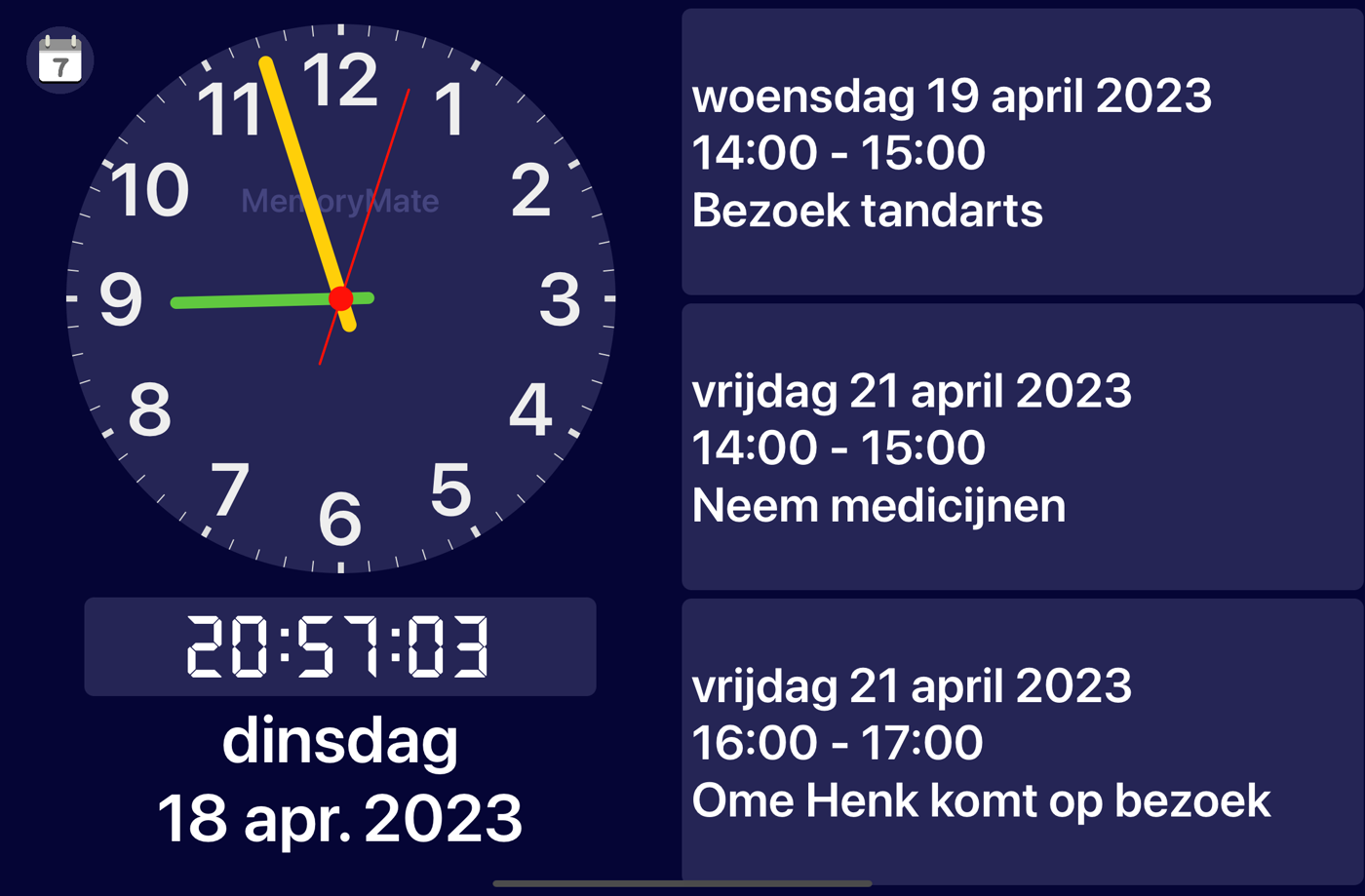
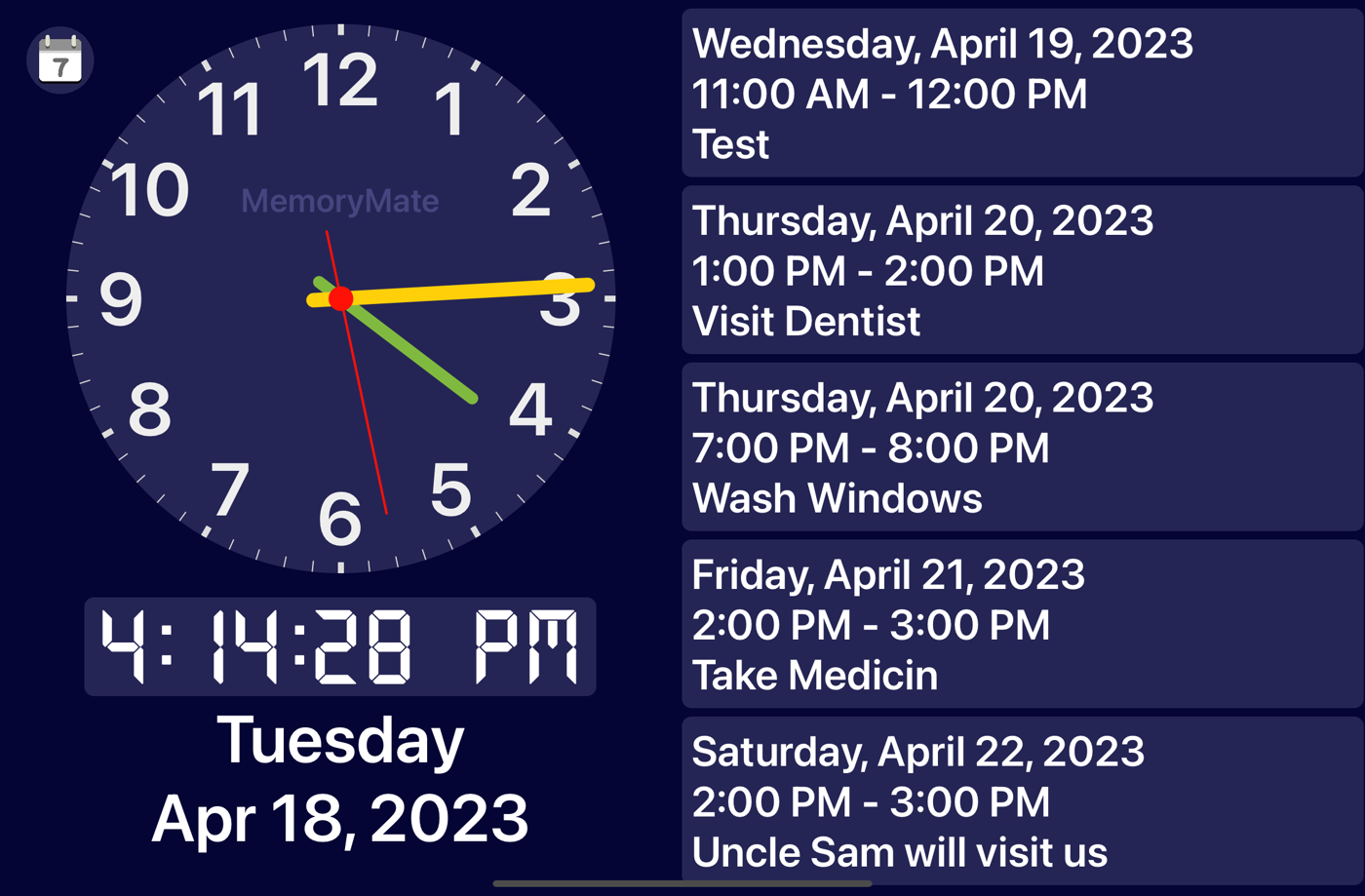
MemoryMate op een iPad MemoryMate on an iPad
Bekijk hoe het werktSee how it works

De app in één minuutThe app in one minute

Waarom MemoryMateWhy MemoryMate

Rustig, groot en duidelijkCalm, large and clear

Geen afleiding, geen onnodige knoppen. Alleen de tijd en wat er komt.No distractions, no unnecessary buttons. Just the time and what is coming up.

Analoog en digitaalAnalog and digital

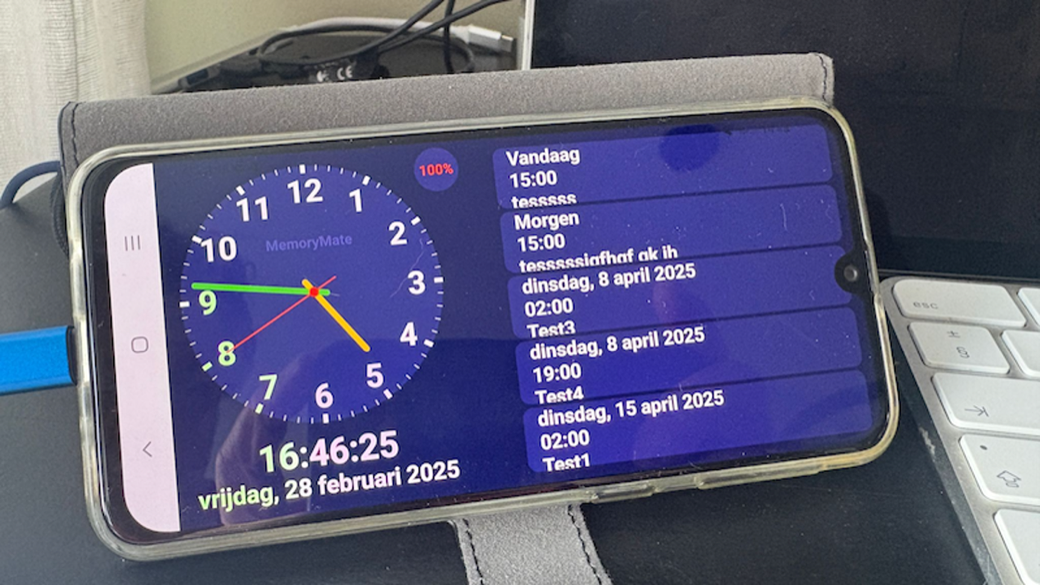
Drie weergaven: analoog en digitaal, alleen analoog of alleen digitaal. Op Android wissel je door dubbel te tikken op de klok.Three displays: analog and digital, analog only or digital only. On Android you switch by double-tapping the clock.

Afspraken uit je agendaAppointments from your calendar

Toont 3 tot 10 afspraken uit elke agenda op het toestel: Google, Outlook of een gedeelde agenda. Het aantal stel je in via de instellingen.Shows 3 to 10 appointments from any calendar on the device: Google, Outlook or a shared calendar. The number is set in the settings.

Op afstand vullenFill it from a distance

Met een gedeelde agenda voegen familie of zorgverleners afspraken toe zonder langs te komen.With a shared calendar, family or caregivers can add appointments without visiting.

Grote, contrastrijke tekstLarge, high-contrast text

Met een schuifbalk maak je de tekst precies zo groot als nodig (50–200%).A slider sets the text exactly as large as needed (50–200%).

Altijd aan op de laderAlways on while charging

Aan de lader blijft het scherm aan, dus ideaal als tafel- of nachtklok. Het batterijpercentage staat in beeld.The screen stays on while charging, so it works as a table or bedside clock. The battery level is shown.

Jouw taalYour language

Volgt de taal en regio van het toestel, ook van rechts naar links zoals Arabisch. Staand en liggend.Follows the device language and region, including right-to-left languages such as Arabic. Portrait and landscape.


Aan de slagGetting started

In vier stappen klaarReady in four steps

InstalleerInstall

Download MemoryMate gratis in de Play Store of App Store.Download MemoryMate for free from Google Play or the App Store.

Geef toegangAllow access

Sta toe dat de app je agenda mag lezen.Allow the app to read your calendar.

Kies de agendaChoose the calendar

Tik op het kleine agenda-icoon linksboven en kies de agenda die je wilt tonen.Tap the small calendar icon at the top left and pick the calendar to show.

Pas het aanAdjust it

Android: dubbel tikken op de klok wisselt de weergave, op de afspraken verandert het aantal (3 tot 10). iPhone/iPad: kies het aantal afspraken in Instellingen → MemoryMate.Android: double-tap the clock to change the display, or the appointments to change how many are shown (3 to 10). iPhone/iPad: set the number of appointments in Settings → MemoryMate.

MemoryMate on a phone: clock, date and coming events

Gedeelde agendaShared calendar

De agenda kan ook een gedeelde agenda zijn. Zo kunnen familie of zorgverleners op afstand afspraken toevoegen. Zie voor iPhone en iPad de uitleg van Apple over agenda's delen. The calendar can also be a shared calendar, so family or caregivers can add appointments from a distance. For iPhone and iPad see Apple's guide to sharing calendars.

SteunSupport

MemoryMate blijft gratisMemoryMate stays free

MemoryMate is gratis en zonder reclame, en wordt in vrije tijd gemaakt. Vind je de app nuttig? Dan kun je de ontwikkeling steunen met een kop koffie. MemoryMate is free and ad-free, and built in spare time. If you find it useful, you can support its development with a cup of coffee.

Support MemoryMate on Ko-fi
Privacy

PrivacyverklaringPrivacy policy

MemoryMate verzamelt geen persoonlijke gegevens. De app leest alleen de agenda op je toestel om de afspraken te tonen en stuurt niets door. Als wij toch persoonlijke gegevens van je zouden hebben, verkopen of geven we die niet vrijwillig aan anderen, behalve als de wet ons daartoe verplicht, en dan alleen nadat je, voor zover de wet dat toestaat, de kans hebt gekregen daartegen bezwaar te maken. MemoryMate does not collect any personal information from your use of our apps. The app only reads the calendar on your device to show the appointments and sends nothing anywhere. If we have any of your personal information we will not willingly sell or give it to anyone, except if lawfully subpoenaed to produce it and then only after offering you a reasonable chance to challenge such subpoena if allowed by law.

Vragen of opmerkingen?Questions or feedback? Stuur een e-mailSend an email

Meer van ErikMore from Erik

Andere appsOther apps

De broncode van MemoryMate en mijn andere projecten staat op GitHub.The source code of MemoryMate and my other projects is on GitHub.